Webfly team 9 min read Updated 3 November 2026
Buying a Ready-Made Website: Theme or Custom Design?
Ready-made website or custom design? Compare real Webfly examples, assess your business needs and use a practical demo checklist before buying.
Contents
- Ready-made websites, custom design and custom development
- Which option fits which situation?
- Business examples for choosing a theme
- When might a ready-made theme be insufficient?
- Five tasks to try in the demo before purchasing
- What should a proposal make clear?
- Can a ready-made website support SEO and AI visibility?
- Frequently asked questions
- Start choosing for your business
Quick answer: If your business needs to introduce its services, display products and receive enquiries, a ready-made theme that supports those tasks can be a practical starting point. Consider custom design when you need a different visual identity, and custom development when you need business rules or integrations that the product does not provide. Check more than the homepage before choosing.
Before buying a ready-made website, ask: What will my customer do on the site, and how will I manage that task? This guide compares the options, shows real Webfly examples and gives you a demo checklist to use before purchasing.
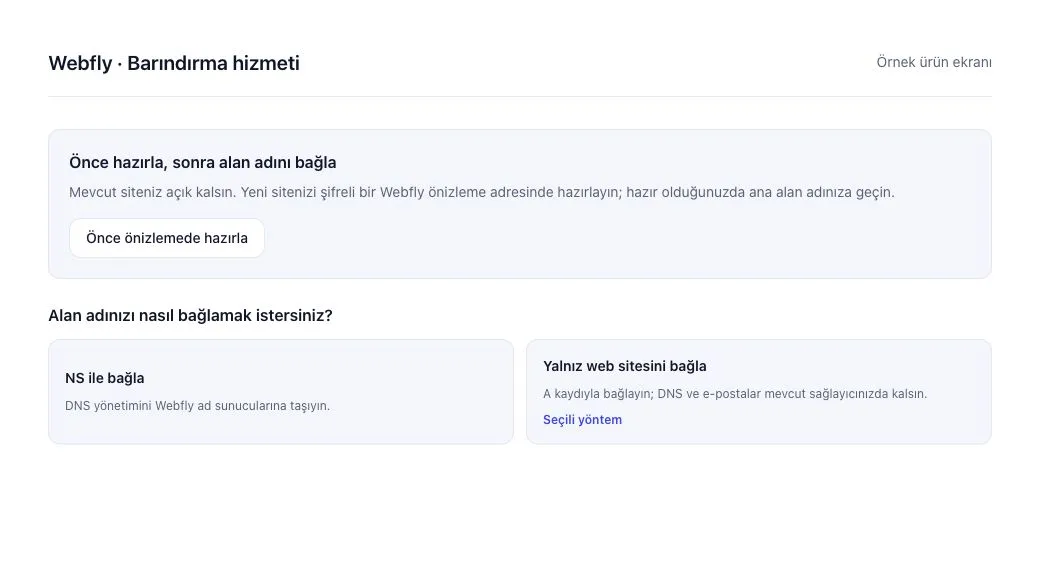
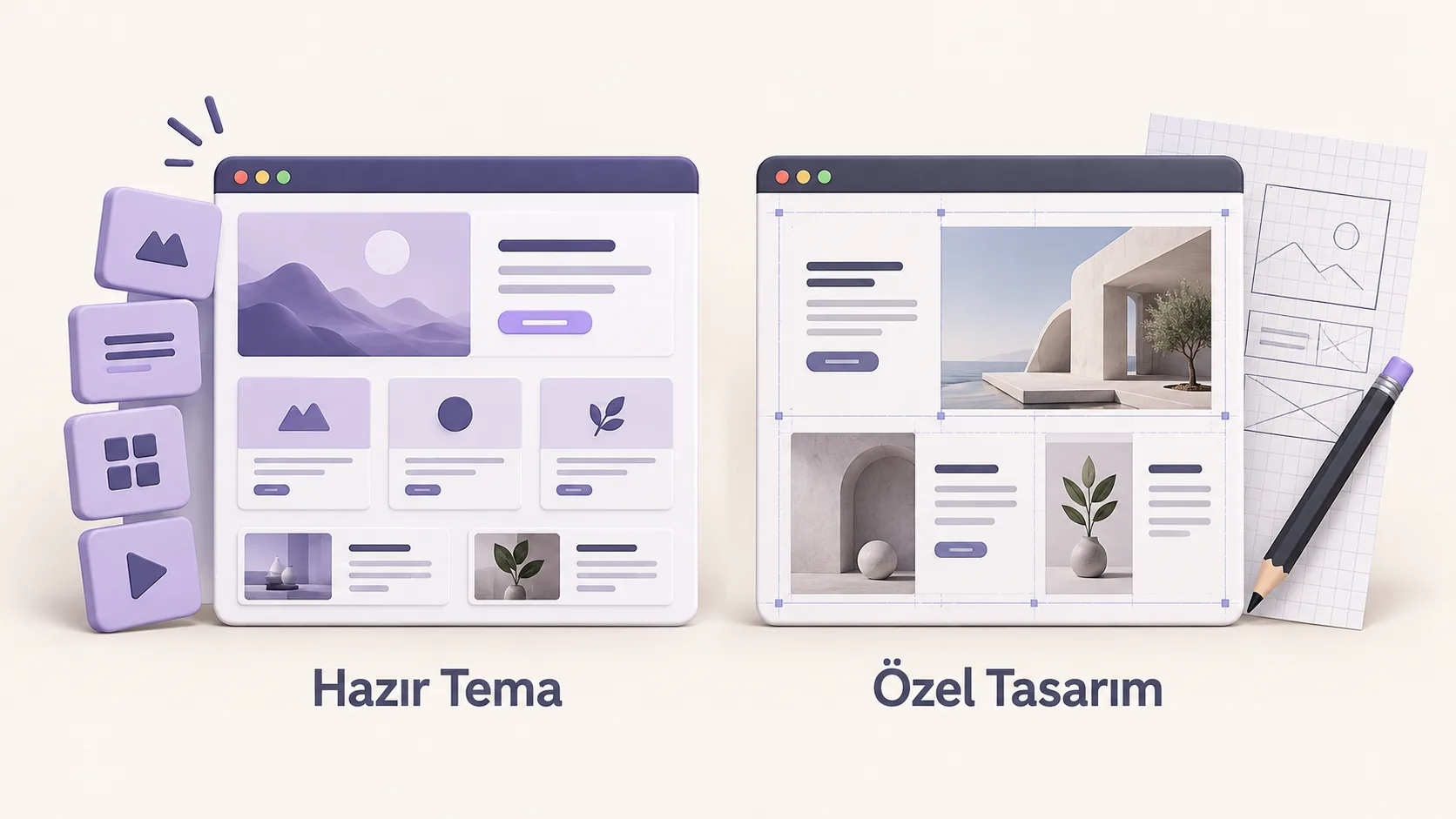
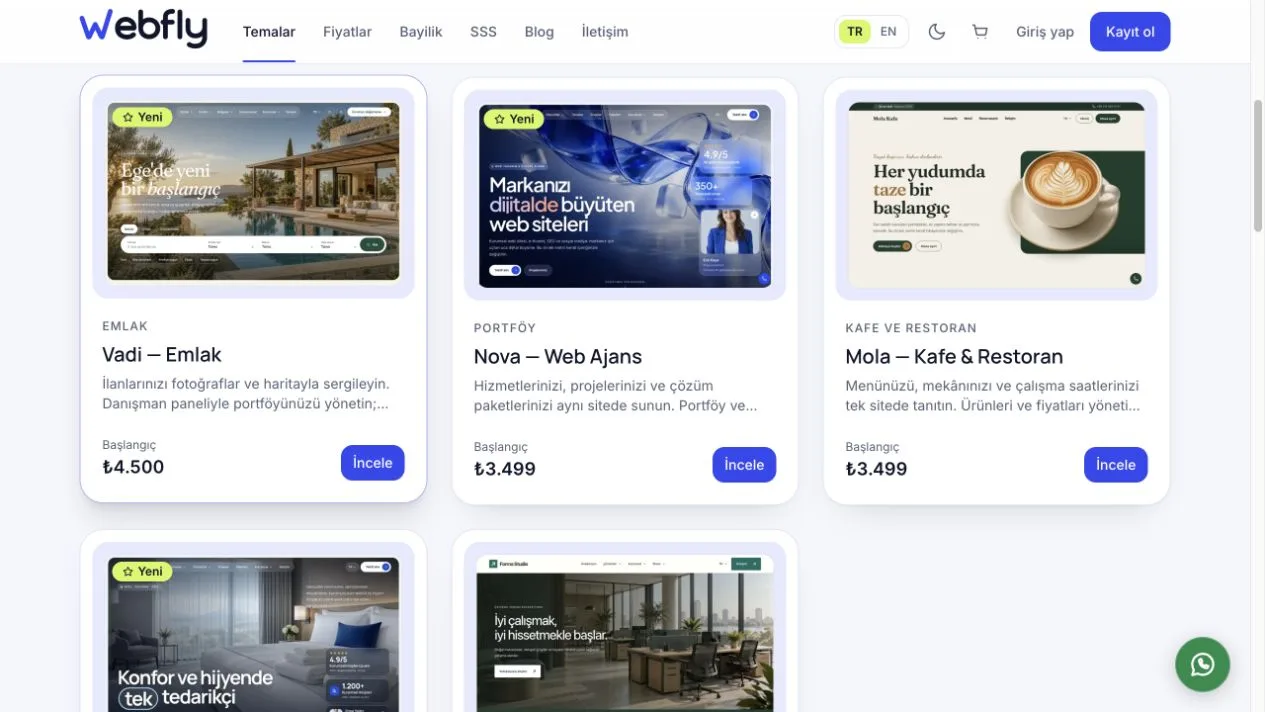
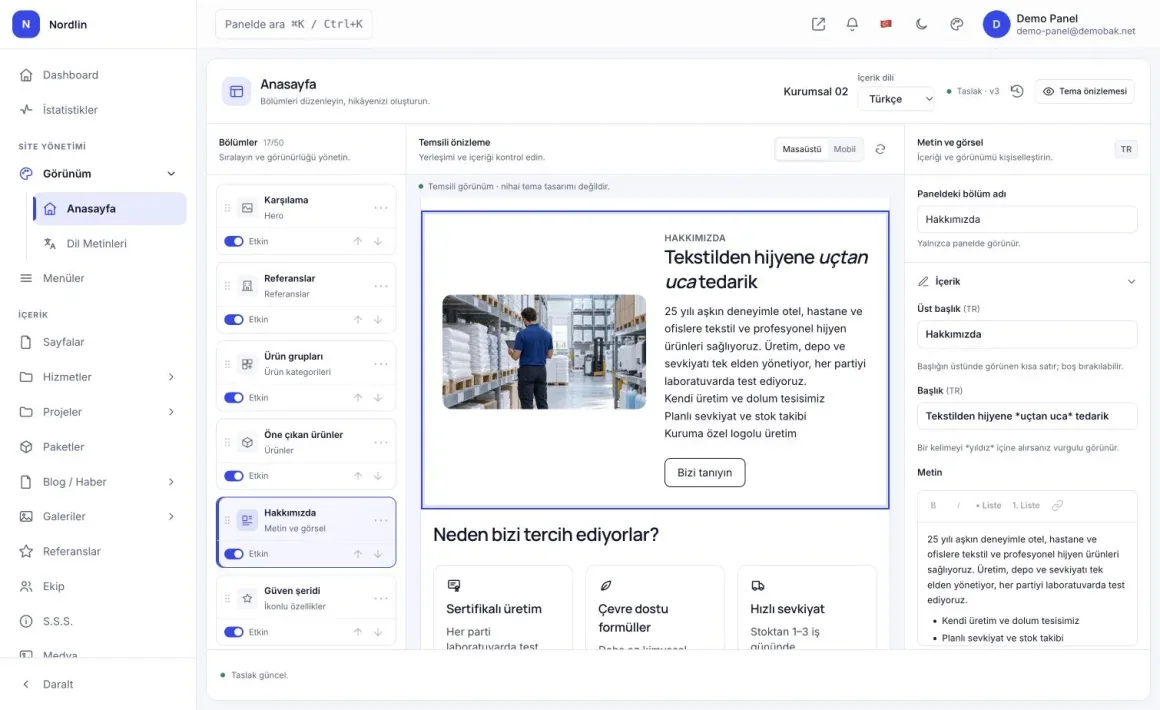
The cover is an AI-generated editorial illustration of ready-made themes and custom design. The catalogue and admin images below are real Webfly screens. The cover's two labels are in Turkish.
Ready-made websites, custom design and custom development
A ready-made website uses a previously developed page structure and set of functions. You replace the logo, copy and photos and use the appearance settings the theme provides. Two businesses can use the same theme with different content, but changes outside the product's options are not automatically included in a purchase.
Custom design means creating a visual layout specifically for your brand. That design can still run on an existing content management system. The phrase does not necessarily mean that the admin panel and every function are built from scratch. A proposal should identify the screens to be designed and the underlying platform.
Custom development implements a business process that the existing product does not support. Examples include customer-specific quote calculations, a multi-step dealer approval process or a bespoke connection to your internal system. Separating design from functionality helps you understand the work you actually need.
Which option fits which situation?
| Ready-made theme | Custom design / development |
|---|---|
| Requirements: Existing modules cover your tasks | Requirements: Different screens or new workflows are needed |
| Appearance: Adapt the existing layout through content and available settings | Appearance: Design and implement a separate visual layout |
| Launch: Select a suitable theme, prepare content and arrange installation | Launch: Plan scope, design, development and acceptance stages |
| Admin: Try the product's existing panel in the demo | Admin: Specify the management screens to be delivered |
| Functions: Check product limits and adaptation options | Functions: Define new behaviour, testing and maintenance responsibility |
| Evidence: Complete your own scenario in the theme and admin demos | Evidence: Request screen drafts, workflow descriptions and acceptance criteria |
A suitable theme resolves some design and development decisions in advance. However, extensive changes to an unsuitable product can reduce that advantage. Compare delivery times and total costs against the same scope, including content preparation and additional work.
Custom design does not automatically produce a better experience. A visually distinctive site can still be difficult to use if visitors cannot find a product, read it on a phone or reach the business.
Business examples for choosing a theme
A manufacturer displaying products and receiving enquiries
A manufacturer may need visitors to browse product groups, inspect photos and specifications and ask about a particular item. In that situation, assess categories, product details and the enquiry journey. Webfly's Atlas business theme, with product, service and project content, is a real example to inspect.
If you also need online sales, verify the cart, payment, order management and integrations included in your chosen package. Listing products does not demonstrate that every sales process is available. View the Atlas theme and follow a product through the next step in its demo.
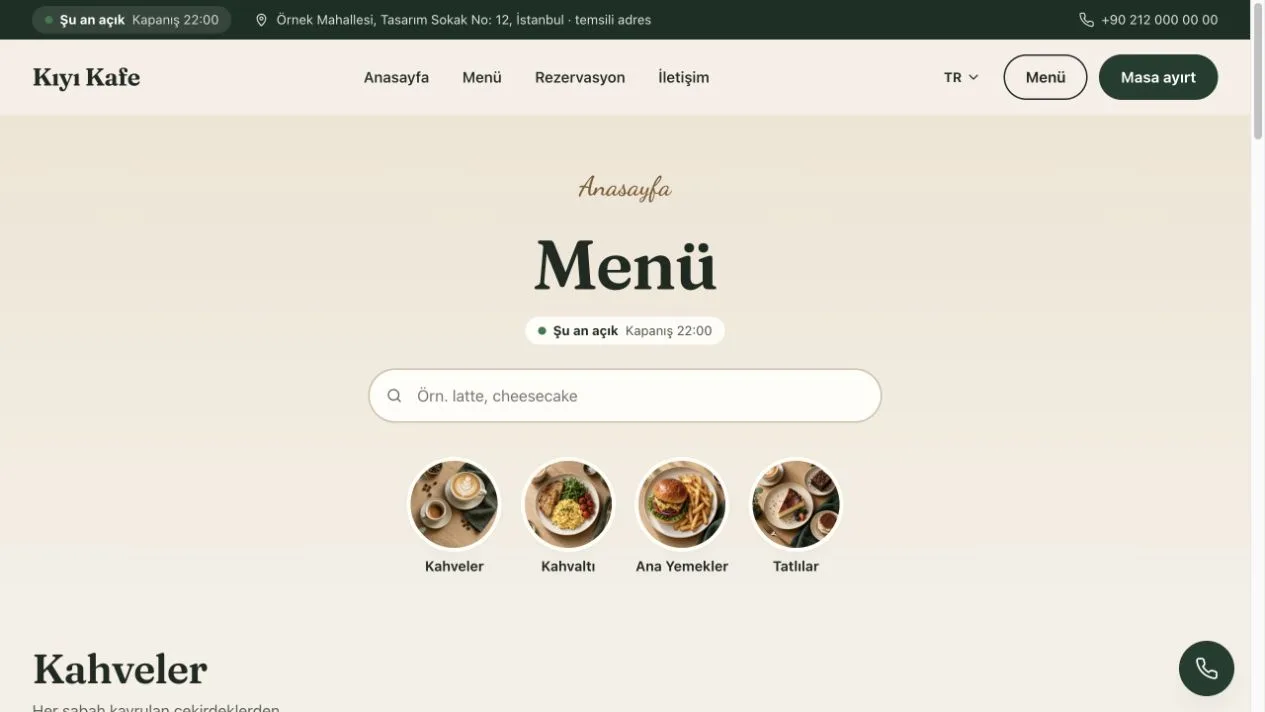
A cafe sharing its menu and venue information
A cafe may primarily need customers to open its menu on a phone, find categories, read prices and see opening hours. The Mola cafe and restaurant theme is an example for assessing those tasks. Changing a menu price in the panel and checking the mobile page gives you more useful evidence than judging only the hero image.
Live table capacity, kitchen workflows and point-of-sale connections are separate requirements. A reservation enquiry form should not be treated as a booking system that guarantees real-time availability. Our QR menu preparation guide explains how to organise the menu content.
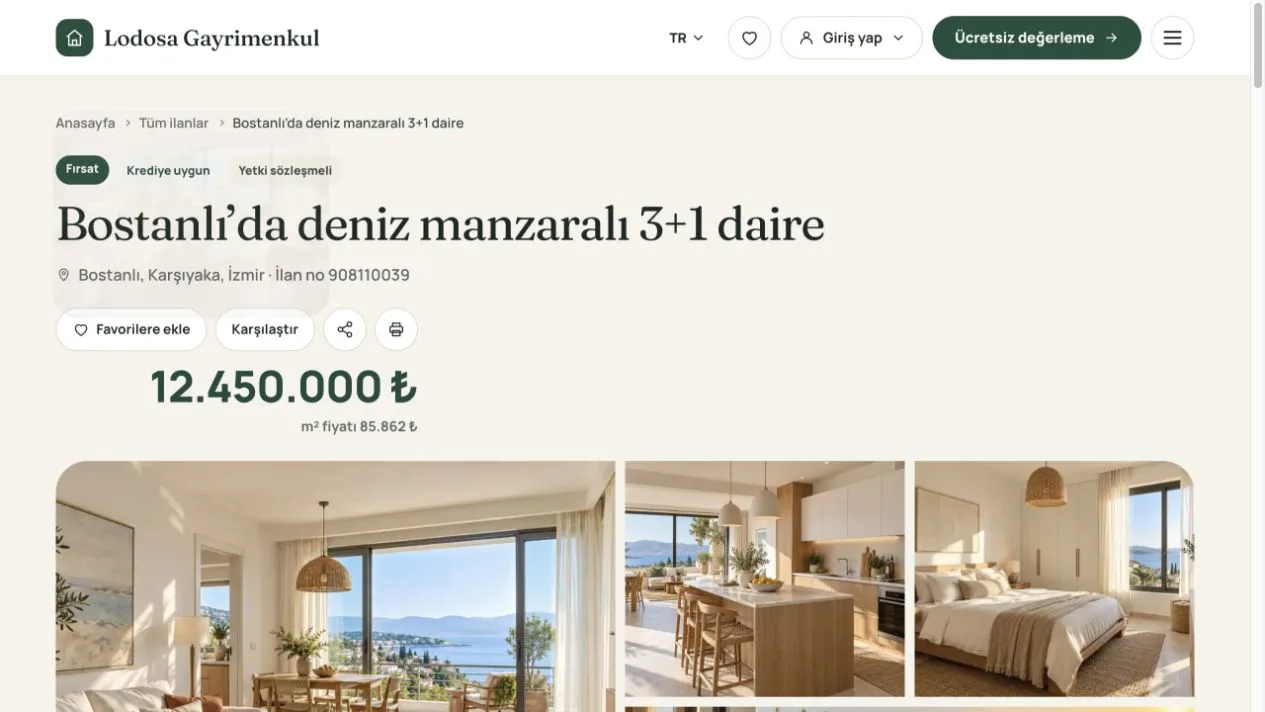
A property office presenting listings and consultants
A property office needs listing details, photos, location, filters and a clear way to reach the appropriate consultant. The Vadi property theme is an example for exploring that journey. Managing listings and automatically sending them to third-party property portals are different functions; confirm any required connection before buying.
Open a listing similar to your own on a phone and check whether its photos, facts and enquiry route are understandable. The property listing guide helps you decide which content to inspect.
A construction company, clinic or coach
A construction business may need project stages, specifications and quote enquiries. A clinic needs practitioner, treatment and appointment-request pages, while a coach may need sessions and a client journey. Try those tasks before adapting a generic presentation site.
- Review project stages and quote enquiries in the Kalem construction website theme.
- Explore how practitioner and treatment pages lead to an appointment request in the Pruva dental-clinic theme. Requests become confirmed appointments after clinic approval.
- Assess available-time selection, session packages and the client panel in the life-coach website theme.
Compare the focus of the general business designs too: Atlas highlights manufacturer and supplier products; Akış focuses on a visual catalogue and enquiry flow; Forma presents services, a team and projects. These are suggested uses, so review each detail page and demo for the complete scope.
When might a ready-made theme be insufficient?
Review the product scope carefully if you need:
- Pricing or quotation calculations using different rules for each customer.
- A process involving several departments, approvals and particular access permissions.
- Two-way data exchange with an internal system, including error handling.
- Page structures, interactions or a detailed brand design system that the theme does not offer.
These requirements do not always call for an entirely new platform. Ask whether the existing infrastructure can support them first. When development is required, describe the behaviour with an example: “A dealer sees their own prices after signing in, and the request becomes an order only after head-office approval.” That is easier to assess than a phrase such as “advanced dealer portal”.
Five tasks to try in the demo before purchasing
- Complete a customer task. Find a product, read a service or open a menu category. Continue to contact or enquiry and check whether the journey makes sense.
- Change an item in the panel. Edit a heading, description and photo. Try the draft, preview and publishing steps. Shared demo data may change as other visitors use it.
- Inspect the phone layout. Check navigation, text readability and button usability. Include content similar to your own long product or service names.
- Test your language needs. If you need another language, inspect more than the language switch. Ask how page copy, menus and relevant content are managed.
- Make additional requirements explicit. If an important function is absent from the demo, request a demonstration or written scope instead of assuming it is included.
Assess the admin functions and content options of the specific Webfly theme you are considering. A sector feature shown in one theme should not be assumed to exist in every theme. Start with the theme catalogue.
What should a proposal make clear?
Identify the theme or design scope, content entry, installation responsibility, additional functions and support boundaries. Agree who supplies logos and photos, how much content will be entered and which revisions require additional work.
Then compare hosting, domains, licensing and renewals against the same scope. Read our guides to ready-made website package contents, one-time licensing and yearly updates and installation requirements. Current options are on Pricing.
Define acceptance criteria too: which pages must work, which content must be ready, who receives enquiries and who handles the launch? If you already have a website, the website transition guide helps you plan that stage.
Can a ready-made website support SEO and AI visibility?
Choosing a ready-made or custom design does not by itself determine Google rankings. Clear, original business information, useful pages and accessible content still matter. Google's helpful content guidance focuses on information that benefits readers.
GEO refers to work that helps content be understood and used as a source in generative AI experiences. Google's AI Overviews and AI Mode guidance says these features do not require special optimisation or a special schema. Clear answers, accurate product information and supporting images are useful; purchasing a theme does not guarantee visibility or citations.
Frequently asked questions
Can I change content after buying a ready-made website?
You can manage the content supported by the product's panel. Try the editable fields and page settings in the demo. Developing a new module or business workflow is different from changing copy and photos.
Do all websites using the same theme look identical?
They share a design foundation. Your photos, copy, logo and available settings can distinguish the site. If you need a completely different page layout, discuss adaptation or custom design separately.
Does custom design mean custom development?
No. A bespoke visual layout can run on existing infrastructure. A proposal should list design screens, admin functions and additional development separately.
Can a ready-made website appear in Google?
Yes. Google can assess pages that it can access and index. Indexing and ranking are not guaranteed. Monitor content, user experience, technical condition and competition as part of the result.
Can I add functions as my business grows?
That depends on the platform's extension options and the particular function. List important future requirements before purchasing and ask about feasibility, cost and maintenance responsibility.
Which option makes most sense for my business?
Write down three tasks your visitors need to complete. If you can complete them in a suitable theme's demo, assess the ready-made option. Discuss design changes for visual gaps and additional development for functional gaps.
Start choosing for your business
Write a short brief: “My customers need to do these things; I need to edit this content; these functions must work on launch day.” Match the brief to a demo and a written scope so your choice is grounded in how the site will be used.
Explore Webfly themes, try the demo for your preferred product and compare its package. To ask whether a requirement is included, use Contact or WhatsApp.
Prepared by the Webfly team. Product examples and images checked on 11 October 2026. This guide uses Webfly products as examples; custom design and additional development need a separate scope based on your requirements.